Astral Toolbox · Extension

Search And Replace — safe MySQL string swaps

Search and replace strings across a MySQL database without corrupting serialized data — the classic WordPress migration problem. Dry-run first, back up automatically, and restore in one click.

Serialized-safe replace, with a dry run

Replace an old domain with a new one — or any literal string — across the tables and columns you choose. PHP-serialized values and JSON are rewritten correctly, never byte-broken.

  • Domain mode expands into the six real-world URL variants (https/http/protocol-relative, with and without www)
  • PHP-serialized length prefixes regenerated; JSON re-encoded; plain text replaced directly
  • Per-table, per-column checklist — tables without a primary key are safely skipped
  • Dry-run previews every change before you commit; credentials are never stored
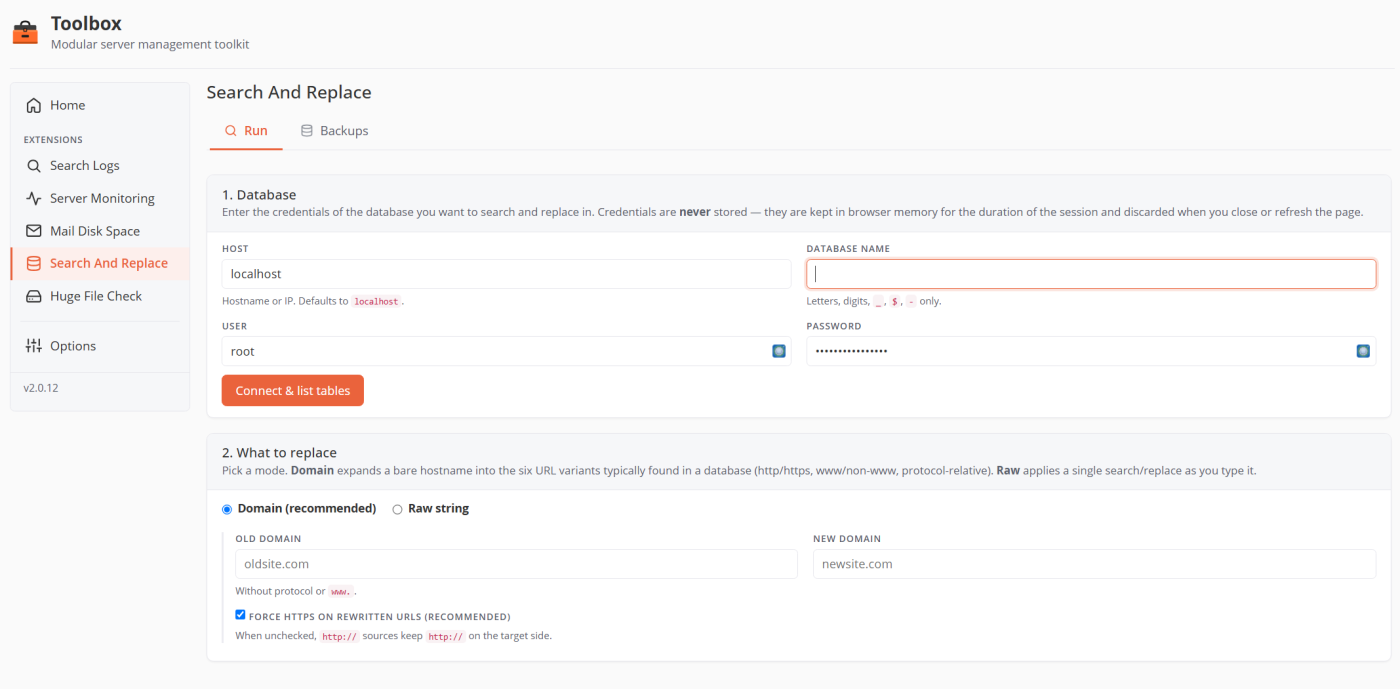
Serialized-safe replace, with a dry run
Search And Replace · run

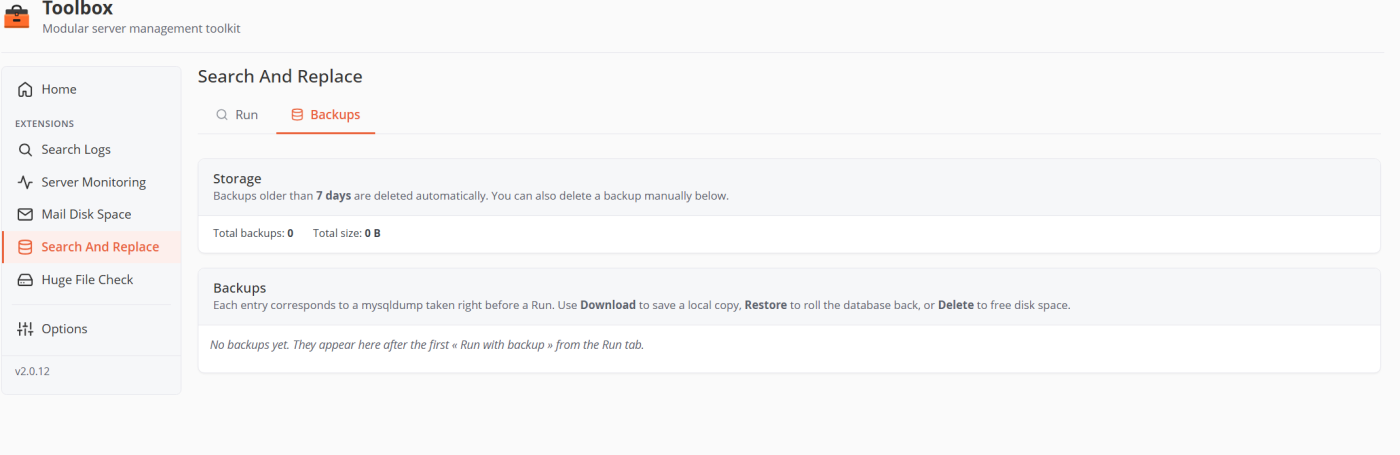
A backup before every run, restore in one click

Every write run is preceded by a mandatory gzipped mysqldump. If anything looks wrong, restore the database from the backup without leaving the screen.

  • Automatic gzipped mysqldump before each run, type-to-confirm the database name
  • One-click restore — drops and re-imports the tables from the dump
  • Backups auto-expire after 7 days; download the raw .sql.gz anytime
  • The MySQL password is passed via a 0600 file, never on the command line
A backup before every run, restore in one click
Search And Replace · backups

Search And Replace — questions

Because a raw REPLACE() corrupts PHP-serialized data — the stored string lengths no longer match. This extension unserializes, replaces, and re-serializes so the length prefixes are regenerated, which is exactly what a safe WordPress domain migration needs.

Yes. Every write run takes a gzipped mysqldump first, and a real run requires you to type the database name to confirm. You can restore from any backup in one click.

No. They live only in memory for the duration of the request and the page's lifetime — never written to disk, session or cookies, and password-manager autofill is actively blocked.

Yes. Dry-run scans everything and shows what would change — tables touched, counts, and before/after samples — without modifying a single row.

Migrate a domain without breaking the site

Enable Search And Replace and a free trial starts on its own — no key, no credit card.