Everything WSA does is exposed two ways: a full WHM interface for day-to-day management, and a complete wsa command-line tool for automation, cron, and remote control.
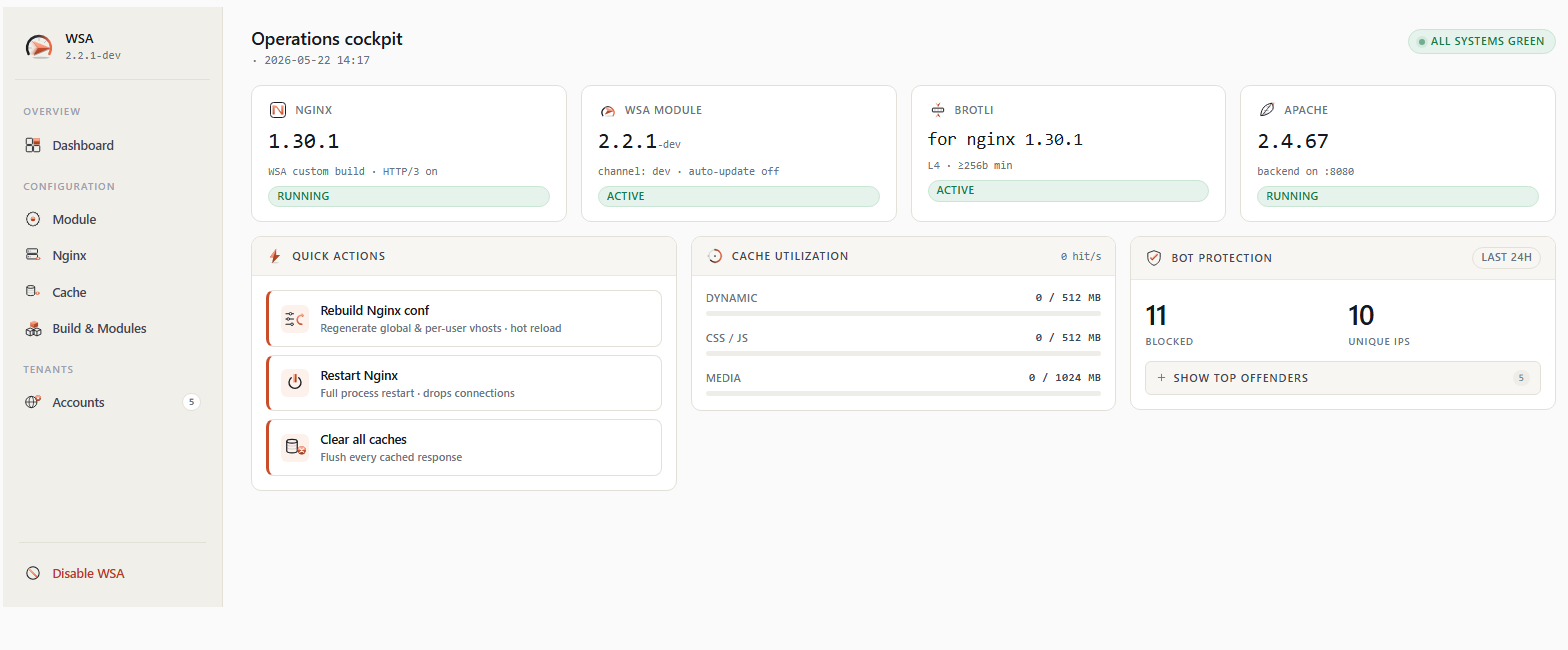
Open WSA in WHM and see the whole module at a glance — status, version, accounts, and live cache stats — with one-click maintenance.
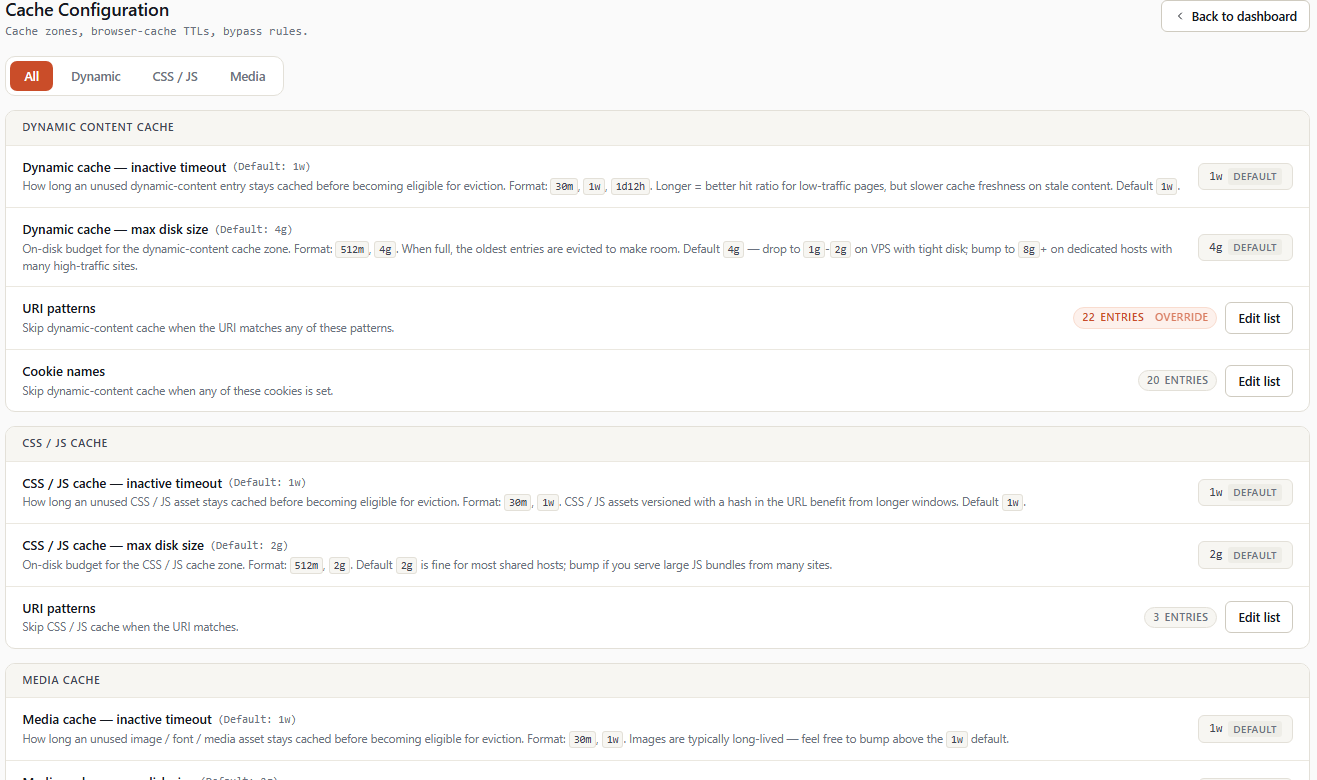
Global nginx and cache settings live in a few clean tabs — including the bypass lists that keep carts and logged-in users out of the cache, plus one-click Brotli and HTTP/3 builds.
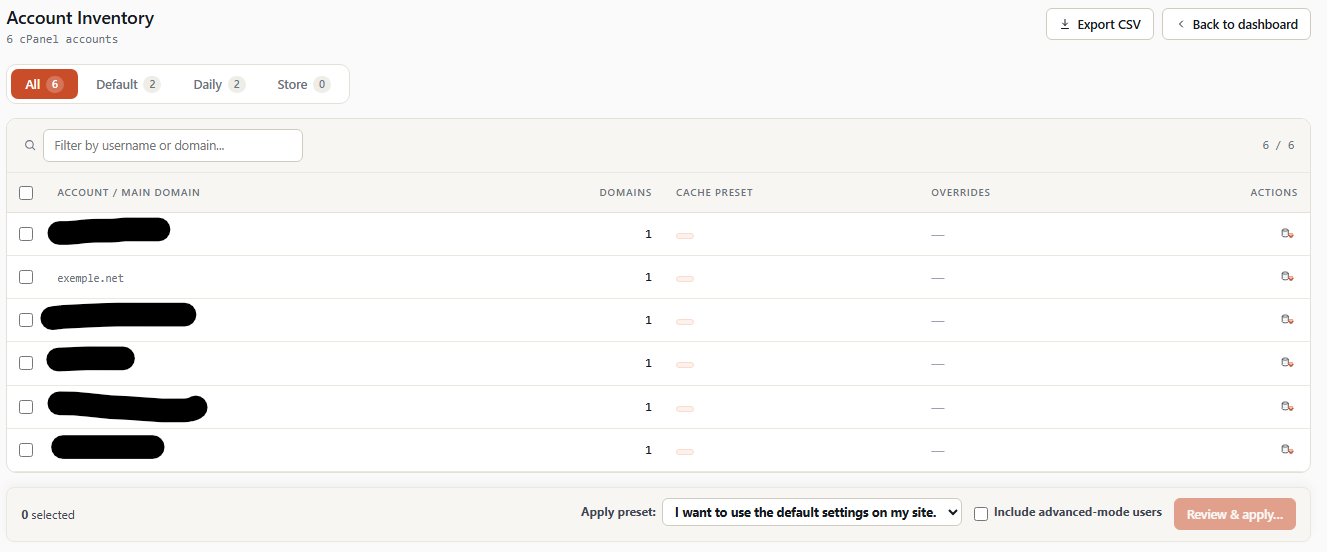
The account inventory lists each cPanel account with its caching profile — apply presets in bulk, or override a single domain.
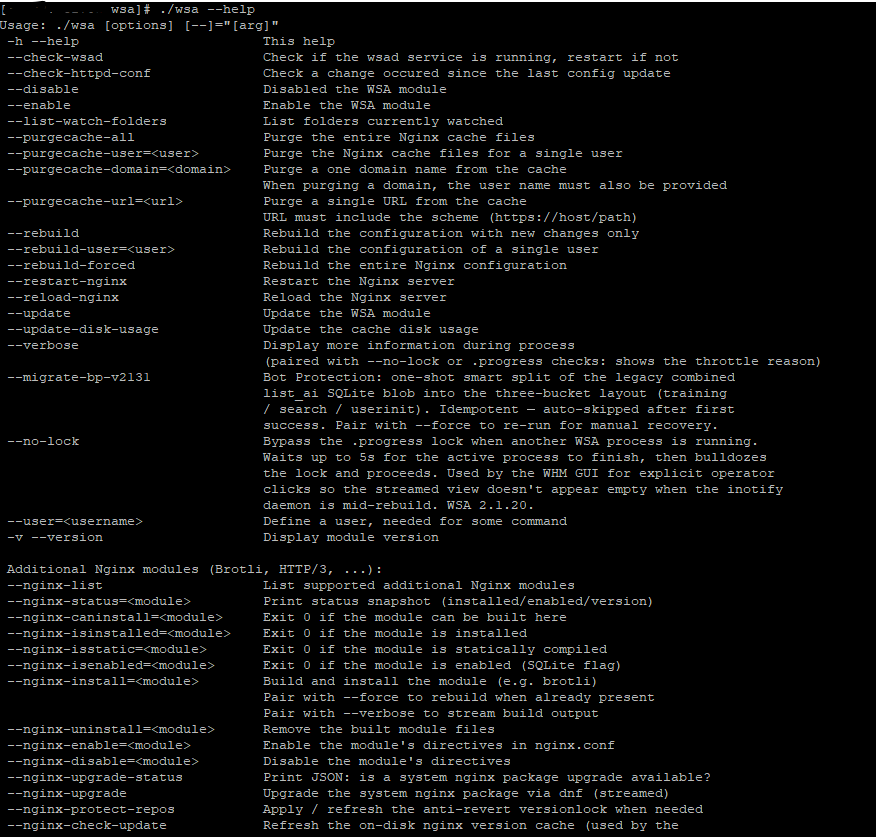
The wsa command exposes every action — ideal for automation, cron jobs, and managing a fleet over SSH.
wsa --enable / --disable # turn WSA on or off
wsa --rebuild # regenerate changed configs (cron-safe)
wsa --purgecache-all # clear every account's cache
wsa --purgecache-url=https://site/page # purge a single URL
wsa --nginx-install=brotli # compile & install Brotli
wsa --http3-install # build HTTP/3 (EL9/EL10), zero downtime
Install it from WHM and the free trial starts on its own.