nginx reverse caching for cPanel servers. Cached pages in 5–20 ms, 60–90% less Apache and PHP load, installed in one click — without touching a single client site.
Every request travels Browser → Apache → PHP → MySQL — 100–500 ms of work, repeated even for content that hasn't changed.
Browser→Apache→PHP→MySQL
With WSA
nginx serves a cached copy in milliseconds; Apache, PHP, and the database are only touched on a cache miss.
Browser→nginx cache→8 ms
What's inside WSA
Smart caching
Caches full pages and serves repeat visitors straight from nginx, with automatic invalidation when content changes.
Brotli + Gzip compression
Modern compression on every response — smaller payloads, faster transfers, no per-site config.
HTTP/3 (QUIC)
Latest transport for quicker connections and better performance on mobile and lossy networks.
AI-bot & scanner filtering
Drops abusive crawlers, scrapers, and scanners before they ever reach Apache.
Installs without breaking sites
Transparent, fully reversible install with automatic bypass for carts and logged-in users.
Per-domain control in cPanel
Your clients enable, purge, and tune caching themselves, one domain at a time.
Built to run on production servers
Always fast, even while refreshing
WSA serves stale content while it revalidates. When a cached page expires, visitors still get the cached copy instantly while a fresh version is rebuilt in the background — nobody waits for a cache rebuild.
Safe by default, tunable by you
Built to be installed on live production servers without ever taking client sites down. Out of the box the cache is conservative, not aggressive — and the administrator can dial it up as needed.
Enable it from Feature Manager
WSA hooks into cPanel's Feature Manager, so you can include it in specific hosting plans or offer it as a paid add-on — an easy upsell for your customers.
Who WSA is for
WSA is built for the people who keep cPanel servers fast — and for the businesses that want to sell that speed.
Web hosts on cPanel
Cut Apache, PHP, and MySQL load across every account — then package WSA into a plan or sell it as an add-on via Feature Manager.
cPanel resellers
Give your own clients page-level speed without ever touching nginx or the command line yourself.
WHM administrators
Control caching, AI-bot filtering, Brotli, and HTTP/3 for the whole server from one dashboard.
Agencies & multi-site teams
Keep dozens of WordPress and WooCommerce sites quick on a single box, each with its own rules.
What people use WSA for
A few of the jobs WSA does every day on production servers.
Speed up many WordPress sites at once
Serve cached pages from nginx so a server packed with WordPress sites stops re-rendering the same pages on every hit.
Reduce PHP & MySQL load on shared hosting
Take repeat traffic off Apache and the database, freeing headroom without moving anyone to a bigger plan.
Offer a premium cache to resellers
Turn caching into a paid feature your resellers and their clients can enable per domain.
Blunt AI crawlers and scanners
Stop GPTBot, scrapers, and vulnerability scanners at nginx before they burn CPU on Apache.
Run WooCommerce without caching carts
Cache the storefront while cart, checkout, and account pages always stay live and personal.
Auto-purge after a content update
Clear just the pages that changed the moment a WordPress post is published or a deploy runs.
Real numbers from a live server
22 ms
WordPress homepage with WSA — 257 ms without
185,921
bot requests blocked in 24 h
32,735
unique bot IPs in 24 h
Load time measured on a production WordPress site; the bot figures are from one server hosting 389 accounts over 24 hours — abusive crawlers and scanners stopped at nginx before they ever reached Apache.
How it works
WSA sits in front of Apache as a reverse cache. A cache hit never touches your stack.
01
Request
A visitor hits a page on a client site.
02
nginx cache
WSA checks for a fresh cached copy.
Cache HIT
Served from nginx in ~8 ms. Apache, PHP, and MySQL stay idle.
Cache MISS
Passed to Apache → PHP → MySQL once, then stored for the next visitor.
How WSA compares
Where WSA sits next to the usual cPanel speed options. Competitor details are general and can change between versions — check each vendor's current docs.
WSA
Engintron
LiteSpeed
cPanel's nginx
Approach
nginx reverse cache, keeps Apache
nginx reverse proxy, keeps Apache
Replaces Apache
Built-in nginx caching
Cost per server
$0.99/mo, unlimited domains
Free, open source
Paid license (tiered)
Included with cPanel
Apache stays in place
Yes — fully reversible
Yes
No — Apache is replaced
Yes
Easy & advanced config, any user
Yes — built for everyone
No — WHM only
Per-app plugins
No — server-wide only
Offer it per hosting plan (upsell)
Yes — via Feature Manager
No
No
No
AI-bot & scanner filtering
Built in, on by default
Manual config
Via custom rules
Not included
HTTP/3 + Brotli
Both (HTTP/3 on EL9/EL10)
Brotli; no HTTP/3
Both
No HTTP/3
WordPress auto-purge
Plugin + PHP purge class
Manual
LSCache plugin
Not included
WSA and cPanel's built-in NGINX Manager
cPanel ships a basic nginx reverse-proxy cache, and for simple needs it does the fundamentals well. WSA is for hosts who want more control, give their clients real autonomy, and want something they can actually package and sell.
Client self-service in cPanel
Your clients enable, tune, and purge caching per domain themselves — instead of every change being a WHM-only, root-level task.
Simple and advanced modes
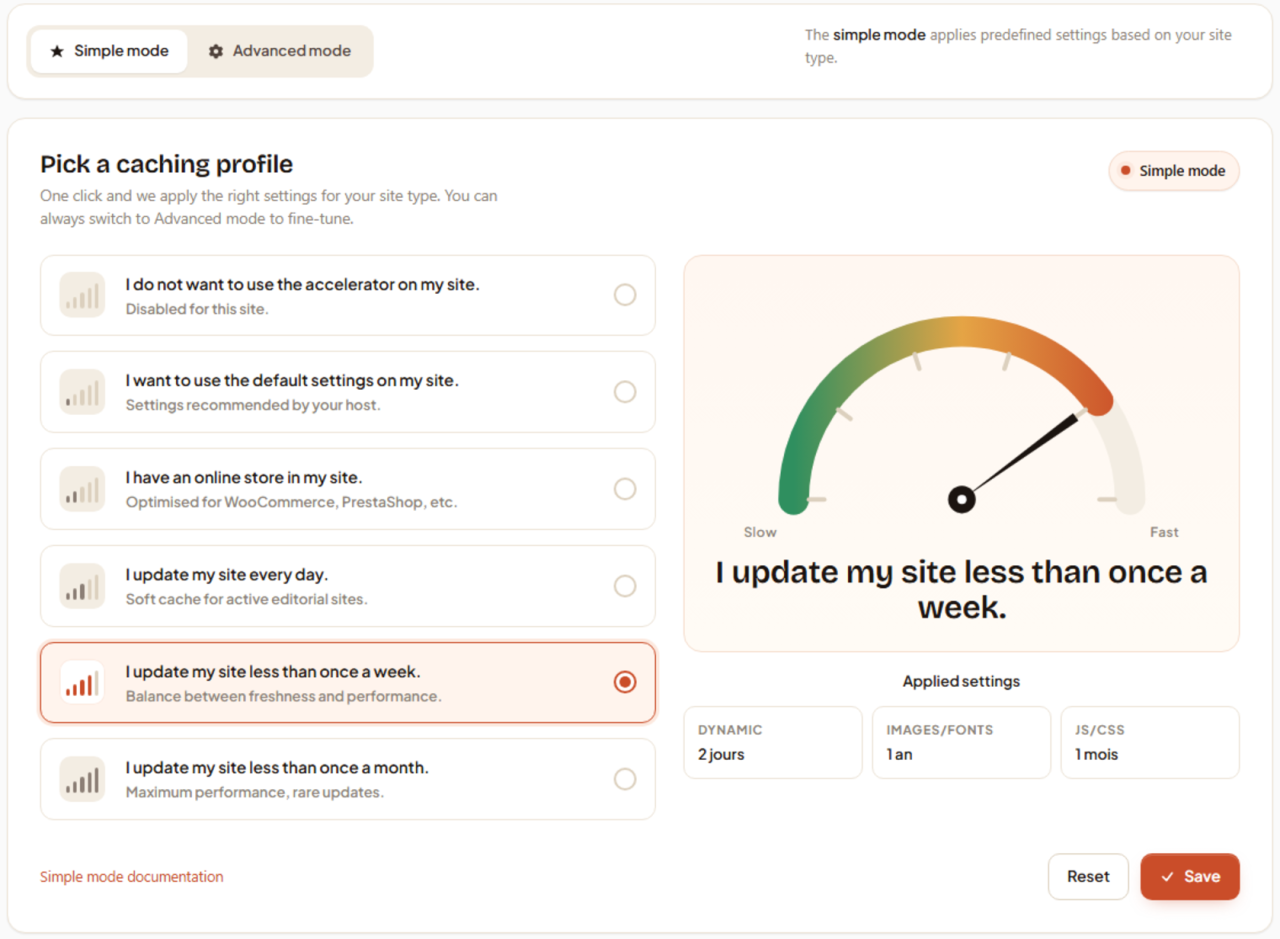
One-click profiles for non-technical clients, full per-domain rules for agencies and developers.
Bot & scanner filtering built in
AI crawlers, scrapers, and scanners are dropped by default — not something you have to script yourself.
Brotli and HTTP/3, one click
Compile and enable modern compression and transport without recompiling nginx by hand.
Per-domain rules and purge tools
Bypass lists, TTLs, security headers, and URL or domain purge — exposed in WHM, cPanel, and the CLI.
Sell it via Feature Manager
Include WSA in a plan or offer it as a paid add-on — a revenue stream the built-in cache can't give you.
Compatibility & requirements
WSA runs on every cPanel/WHM server on AlmaLinux or CloudLinux. Ubuntu isn't supported yet.
Control panel
cPanel & WHM.
Operating systems
AlmaLinux and CloudLinux. Ubuntu is not supported yet.
PHP
Works across the PHP versions cPanel ships, from 7.4 to 8.3.
Architecture
Runs as an nginx reverse proxy in front of Apache. Fully reversible, with no change to client files.
Self-activated free trial, then one simple price
Install WSA from WHM and a free trial starts on its own — anchored to your server, no license key, no sales call. When it's earned its place, it bills per server.
Run this on your server, as root:
cd /root && wget https://wsa.cdn.astral360.com/pub/wsa-install && sh wsa-install stable
The free trial starts automatically once WSA is installed — no license key, no credit card.
Free trial
Auto-start
Begins the moment you install the module. Full features, anchored to your server. No key, no credit card.
License
$0.99/ mo · per server
Billed in CAD. Unlimited domains on the server. Cancel anytime; volume pricing for multiple servers.
No. WSA works at the server level as a reverse cache. Your clients' files, themes, and code are never changed, and caching is transparent to them.
No. nginx sits in front of Apache as a reverse cache. Apache, PHP, and MySQL still run and serve cache misses — WSA simply keeps most requests from ever reaching them.
No. WSA automatically bypasses the cache for logged-in sessions, carts, and dynamic requests, so dashboards and checkouts always stay live.
No. WSA never stores a response that sets a cookie, bypasses any request carrying a session cookie, and honors Cache-Control: private and no-cache. One user's personal page is never served to another.
Yes. Cart, checkout, and account pages bypass the cache automatically, with presets for WooCommerce, PrestaShop, Magento, and OpenCart — shops stay dynamic while the rest of the site is cached.
It caches at the server level, doing the heavy lifting a page-cache plugin would. Keep your plugin or drop it; the companion WSA Cache Purge plugin clears the server cache automatically whenever content changes.
Yes. WSA filters abusive user-agents at the nginx level — AI training crawlers (GPTBot, ClaudeBot, Bytespider, CCBot), vulnerability scanners, and fake or empty user-agents are blocked by default. Real search engines like Google and Bing are never blocked, and each client can override the policy on their own domains.
Yes. WSA can compile nginx with HTTP/3 (QUIC) on EL9 and EL10, and serves Brotli (built from official source) and Gzip automatically — each visitor gets the best format their browser supports.
Yes. WSA caches any cacheable HTTP response, whatever generates it. Dynamic or per-user responses bypass the cache via cookie and URL rules, so your app back-ends keep working normally.
WSA runs on cPanel/WHM servers on AlmaLinux or CloudLinux. Ubuntu isn't supported yet. The docs keep an up-to-date supported-version matrix.
One license per server, unlimited domains, at $0.99/month (CAD). Activation is anchored to your server — no key to copy around — and volume pricing is available for multiple servers.
Install the module from WHM and a 60-day free trial starts automatically, anchored to your server. No license key to enter, no credit card. Buy it whenever you're ready.
Traffic goes straight back to Apache, exactly as before. The install is fully reversible — uninstalling removes nginx from the request path and leaves no trace in client sites.
Yes. WSA passes through the HTTP headers your applications emit and reads the SSL certificates already installed by AutoSSL or Let's Encrypt — nothing to reconfigure.
Put WSA to work on your server
Install from WHM and the free trial starts on its own — or talk to the team that builds and runs it every day.